Type a sentence.
Get an image.
From nothing.
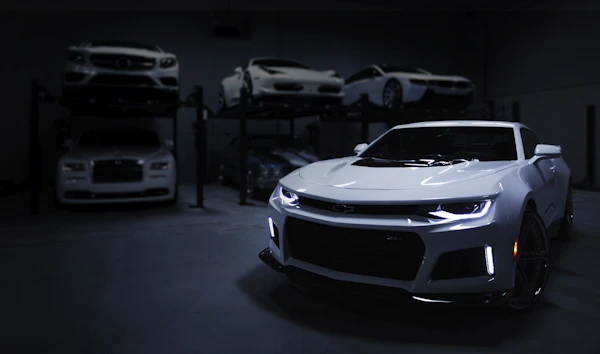
No source photo, no reference, no upload. Describe what you want and the model invents it from scratch — in any style, any aspect ratio, any resolution up to 4K. Make a product shot, a poster, a concept render, or an entire mood board's worth of variations.


The model speaks English.
No tags, no weights, no negative prompts. Just describe an image the way you'd describe it to a photographer. Five ingredients usually do it.
Five ingredients
Mix any combination. Skip what doesn't matter. Order doesn't matter much — the model parses meaning, not syntax.
Twenty-four styles.
One click.
If you don't want to write a style brief, pick one. Each preset is a tuned prompt suffix that nudges the model toward a coherent aesthetic.


Three engines.
One workspace.
Pick speed for thumbnails and exploration, balance for everyday work, or premium for client deliverables.

Sketch
FastFor exploration and ideation. Lower resolution, smaller variations, generous with concepts. Use when you're brainstorming, not finishing.

Studio
BalancedThe default. Strong prompt fidelity, photoreal grade, and crisp detail at HD. Use for most social, web, and product work.

Master
PremiumFor finals you're handing to a client. Maximum detail, best typography rendering, large-format ready. Slower, more expensive — and worth it.
See it work,
without signing up.
Pick a prompt below to see the kind of image Generate produces.
Pick a prompt
Each preset shows a different model + style combination.


What people made.
A rotating selection of outputs from ImageCraft users — posters, products, portraits, concept art. Each with its prompt visible underneath.




How to write
a good generation prompt.
The model wants direction, not decoration. Use specific nouns. Skip generic praise. The model knows what "beautiful" means and doesn't need to be told.
Be concrete & specific
- "A 70s Polaroid of a brown Labrador on a porch"
- "Product still life, three perfume bottles, marble surface, hard shadows"
- "Editorial portrait, side light, soft focus, shot on Hasselblad"
- "Flat illustration, three characters, blue palette, isometric"
Overstuffed or empty prompts
- "Beautiful stunning amazing image" — empty calories
- "4K HD ultra realistic masterpiece" — model handles quality
- "((cat:1.4)) ((sunset:1.2))" — no weights here, plain English
- "Make it good" — describe what good means
Questions, answered.
What aspect ratios are supported?
Square (1:1), portrait (2:3, 3:4, 4:5, 9:16), landscape (3:2, 4:3, 5:4, 16:9), and ultrawide (21:9). Custom dimensions on the Master model.
Can I get the same image twice?
If you keep the same prompt and seed, yes. By default seeds are random — for reproducible results, pin a seed in advanced settings.
Can the model render text?
Yes, much better than older models. Short signage and headlines render reliably on Studio and Master. Body copy and small text is best added as a real text layer afterward.
How many variations per prompt?
Four by default. You can set it to 1, 2, 4, or 8. Each variation counts toward credits.
Who owns the generated images?
You do. Anything you generate is yours to use commercially or personally, subject to our Terms. We don't train models on your outputs.
What does it cost?
0.5 to 3 credits per image depending on the model (Sketch, Studio, or Master). Full breakdown on Pricing.
What do you want to make?
Open the workspace. Type a sentence. Watch it appear.
Already have a photo?
Upload it and describe the change you want. Edit handles background swap, object insert, retouch, restyle, and more.